Commerce is the easiest feature in this release to misunderstand, so the first sentence has to be blunt:
Commerce does not replace IAP and never will.
Purchases still go through Apple, Google, or the payment processor you chose. Codename One does not process the payment, does not touch the money, and does not take a percentage. PR #5300 adds infrastructure around the annoying backend work that comes after a purchase: validation, entitlement checks, subscription lifecycle, webhooks, and reporting.
That backend work is real. Anyone who has shipped subscriptions knows the trap. Buying a SKU is not the same as knowing whether the user has the right to a feature right now. Renewals, grace periods, refunds, billing retry, product changes, trials, family sharing and store server notifications all show up later. The device has one view. The store has another. Your backend usually needs a third.
Commerce is the optional service that turns that mess into an entitlement.
Entitlements Instead Of SKU Branches
Your app should not need to know every SKU that grants pro. It should ask for pro.
CommerceManager cm = CommerceManager.getInstance();
cm.setAppUserId(accountId);

if (cm.isEntitled("pro")) {
    unlockProFeatures();
}
Purchases are still delegated to the existing Purchase API:
cm.subscribe("pro_monthly");
// or
cm.purchase("remove_ads");
After a purchase, or when the app starts, refresh off the EDT:
new Thread(() -> {
    CommerceManager cm = CommerceManager.getInstance();
    cm.refresh();

    CN.callSerially(() -> {
        if (cm.isEntitled("pro")) {
            unlockProFeatures();
        }
    });
}).start();
refresh() validates the current receipts with the cloud when the build has a build_key and commerce is enabled. In a local build or simulator, it safely falls back to the normal Purchase path.
What Happens When Quota Runs Out
This is the real question that matters most. If Commerce is tiered, what happens when a developer exceeds quota?
Validation degrades. Purchases do not stop.
CommerceManager.isDegraded() tells you the cloud did not return a server-validated answer. In that state, entitlement checks fall back to the platform’s own receipt signal, treating the entitlement id as a subscription SKU when no cached cloud answer exists. That is less rich than server-side validation, but it is the right failure mode. A paying user should not be locked out because your account hit a validated-volume cap.
cm.refresh();
if (cm.isDegraded()) {
    Log.p("Commerce validation degraded; using store-direct fallback");
}
Commerce is tiered because it is a backend service that can be abused: receipt validation, store API calls, lifecycle processing, webhook delivery and revenue analytics cost real infrastructure. The degradation rule is what keeps that business reality from becoming user pain.
What Commerce Adds
The service can:
- Validate receipts against Apple and Google.
- Normalize subscription state across stores.
- Track entitlements by your app user id.
- Forward lifecycle webhooks to your backend with HMAC signatures.
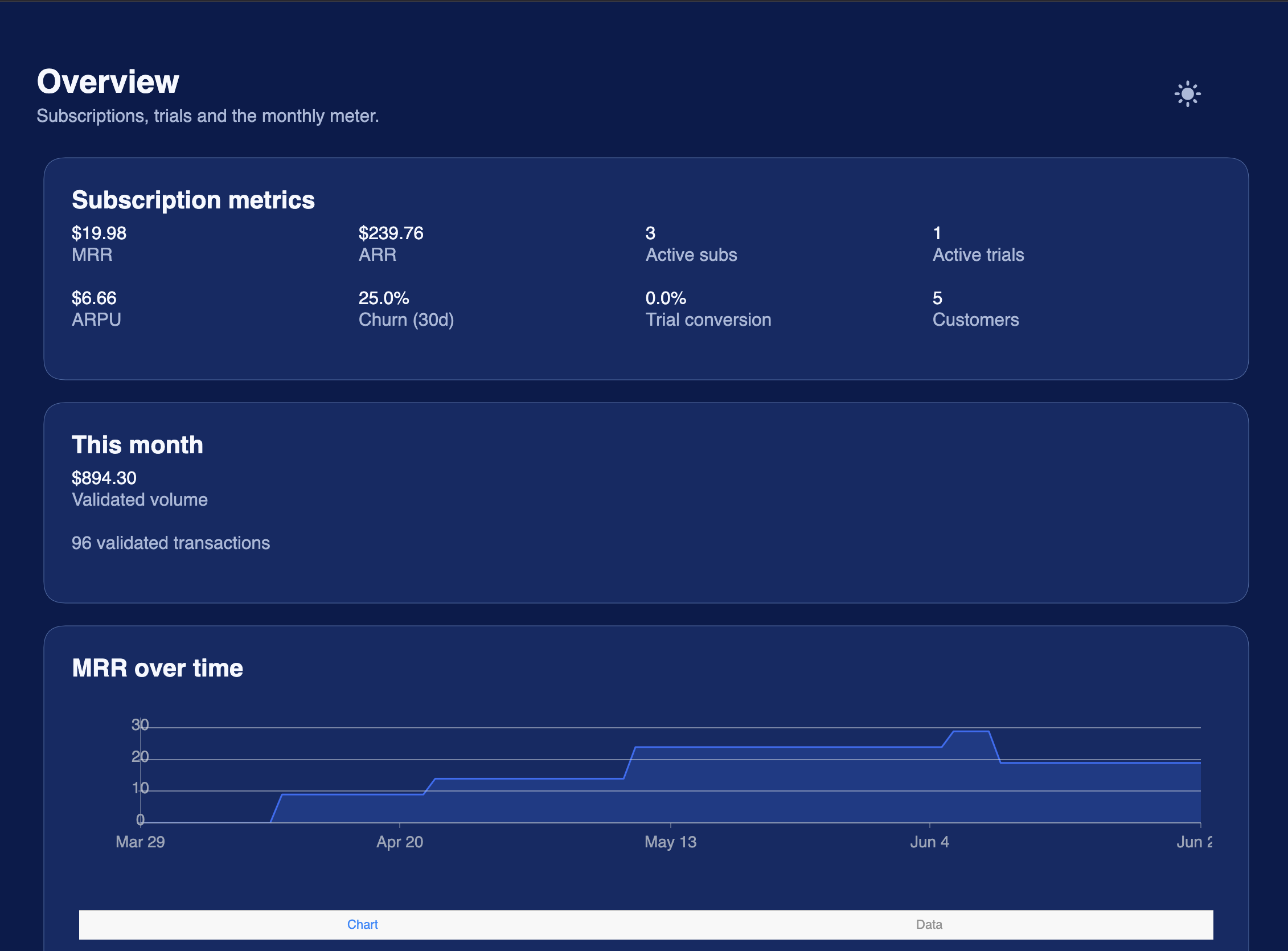
- Present revenue metrics such as MRR, ARR, ARPU, churn, trial conversion, cohort retention and realized LTV.
The app-facing API remains small because the complicated part lives server-side:
CommerceManager cm = CommerceManager.getInstance();
cm.setAppUserId(myAccountId);
cm.refresh();
boolean active = cm.isEntitled("remove_ads");
That split explains how Commerce complements IAP instead of replacing it. Purchase starts the transaction. Commerce answers the longer-term entitlement question.
Secrets
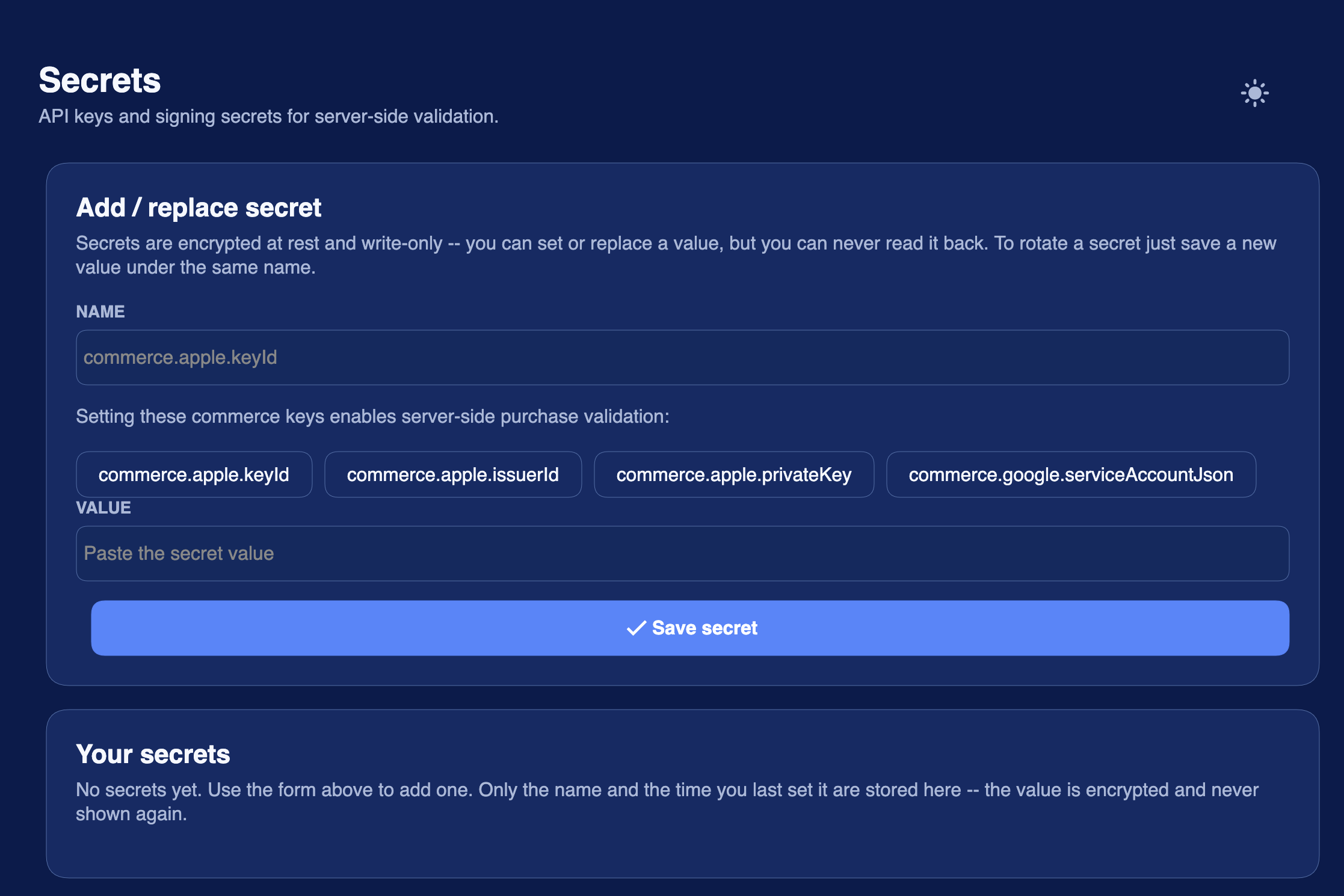
The same PR adds com.codename1.security.Secrets, which solves a different but related problem: API keys do not belong in source code or in the app binary.
// Run off the EDT; the first call may hit the network.
String mapsKey = Secrets.get("googlemaps.key");
The value is fetched from the Codename One Cloud vault over TLS and cached in SecureStorage. refresh(name) forces a fresh fetch after you rotate the value server-side, and clear(name) drops the cached copy.
String key = Secrets.refresh("googlemaps.key");
Secrets.clear("googlemaps.key");
Only app-readable secrets are served to the device. Server-only credentials, such as App Store Connect keys or Google Play service account JSON used for commerce validation, stay in the vault and are never reachable from client code.
That rule is non-negotiable: do not check API keys into source, do not paste them into snippets, and do not embed server credentials in the binary. If the app can read a secret, a determined attacker can eventually extract it. Secrets reduces exposure and makes rotation easier; it does not turn a client app into a secure server.
The Boundary
Commerce and Secrets are both cloud features, but they sit on different sides of the volume line. Secrets usage stays low enough to enable it for everyone. Commerce has tiers because validation and analytics can create real backend load.
The important boundary is not tiering. The boundary is lock-in. You can still use the raw Purchase API. You can still build your own receipt backend. You can still ship an app that sells subscriptions without giving Codename One a revenue share.
Commerce is there to remove backend pain, not to insert a toll booth.
Discussion
Join the conversation via GitHub Discussions.